How to Watch FIFA World Cup 2026 in the USA (Free & Paid Options)
The FIFA World Cup 2026 is finally here, and it’s going to be unlike anything we’ve ever seen. For the first time in history, three nations — the United States, Canada, and Mexico — are co-hosting the tournament. With 48 teams, 104 matches, and games being played right here on American soil from June 11 to July 19, 2026, this is the biggest World Cup ever staged. Whether you’re a die-hard soccer fan or someone who only tunes in every four years, you don’t want to miss a single moment.
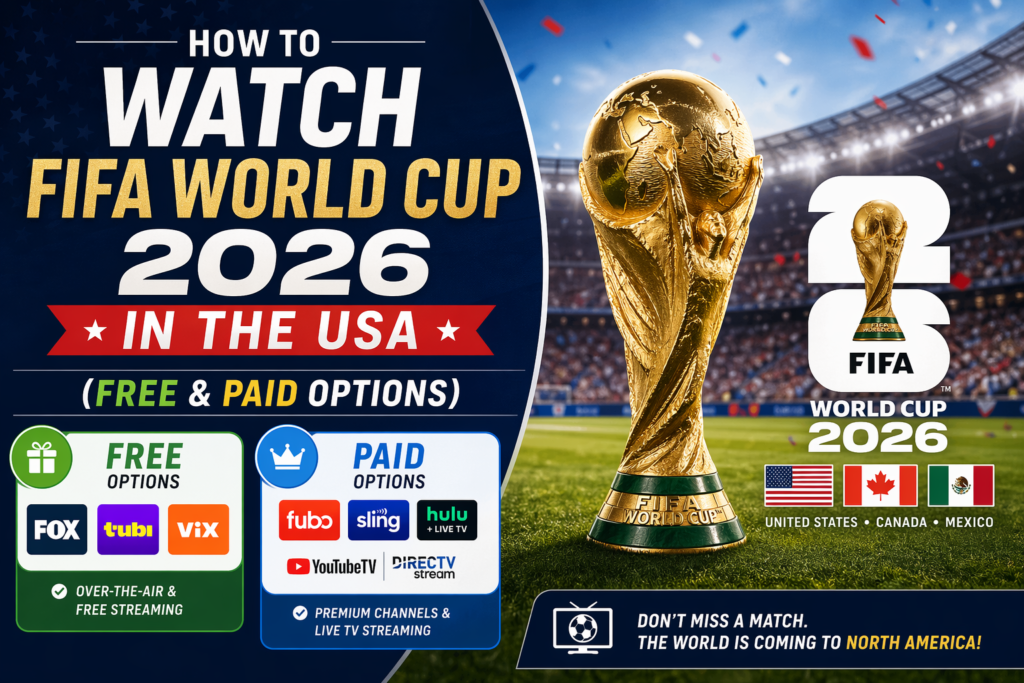
But here’s the thing — figuring out how to actually watch can be confusing. Between cable, streaming apps, free options, and device compatibility, there’s a lot to sort through. That’s exactly why I put this guide together. Below, I’ll walk you through every way to watch World Cup 2026 free in the USA, plus every paid streaming option worth your money. Let’s dive in.
Quick Answer — Where to Watch World Cup 2026 in USA
If you’re in a hurry and just want the bottom line, here’s a quick comparison of the main World Cup 2026 streaming options available in the United States.
| Service | Monthly Cost | FOX | FS1 | Free Trial |
|---|---|---|---|---|
| OTA Antenna (one-time) | $15–$30 one-time | ✅ | ❌ | N/A (free forever) |
| Tubi | Free | ✅ (select) | ❌ | N/A (always free) |
| FIFA+ | Free | ❌ | ❌ | N/A (always free) |
| FOX One | $6.99/mo | ✅ | ✅ | 7-day free trial |
| FuboTV | $79.99/mo | ✅ | ✅ | 7-day free trial |
| YouTube TV | $72.99/mo | ✅ | ✅ | 7-day free trial |
| Hulu + Live TV | $76.99/mo | ✅ | ✅ | 3-day free trial |
| Sling TV (Blue) | $45.00/mo | ✅ | ✅ | 3-day free trial |
| Peacock | $7.99/mo | ❌ | ❌ | 7-day free trial |
Note: Prices and trial availability may change. Always check the provider’s website for the most current information before subscribing.
Now, let me break down each option in detail so you can pick the one that fits your budget, your devices, and your viewing habits.
Watch World Cup 2026 FREE in the USA
Yes, you read that right. You don’t necessarily have to spend a dime to watch the biggest sporting event on the planet. There are several legitimate ways to watch World Cup 2026 free in the USA, and I’ll cover each one below.
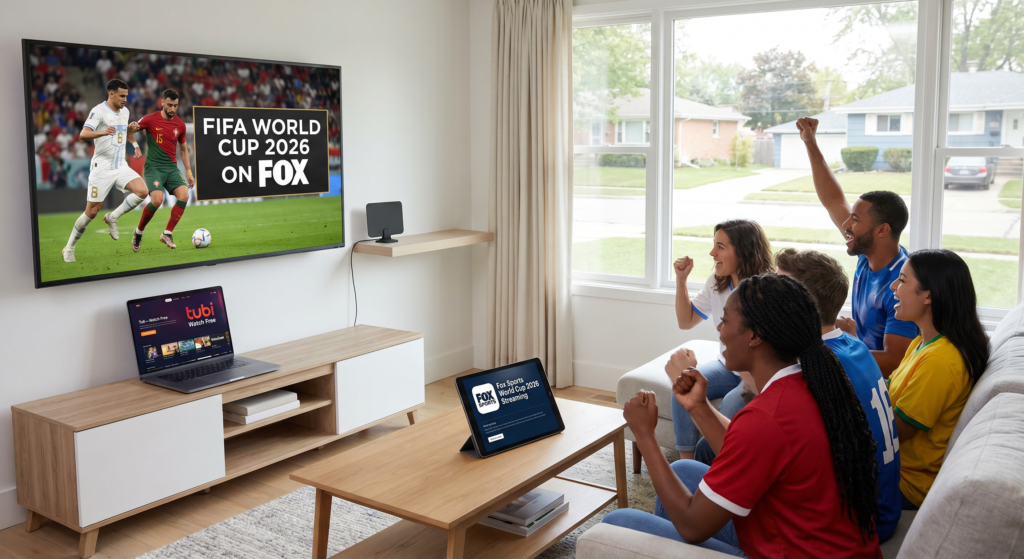
Over-the-Air Antenna (FOX Network)
This is the simplest and most reliable free method, and honestly, it’s the one I recommend first to anyone on a budget.
FOX holds the English-language broadcast rights for the FIFA World Cup 2026 in the United States. That means a significant number of matches — including all USMNT group stage games, quarterfinals, semifinals, and the final — will air on the main FOX broadcast channel. And FOX is a free over-the-air network.
All you need is a digital antenna. You can pick one up at Walmart, Best Buy, Amazon, or pretty much any electronics store for somewhere between $15 and $30. It’s a one-time purchase. No subscription, no monthly bill, no account to create.
Here’s how to set it up for World Cup 2026 Fox antenna free viewing:
- Buy a digital HDTV antenna (indoor models work fine for most urban and suburban areas).
- Connect it to your TV’s coaxial input.
- Run a channel scan in your TV’s settings menu.
- Find your local FOX affiliate in the channel list.
- You’re done. Seriously, that’s it.
The picture quality is actually excellent — often better than what you’d get through cable because the signal isn’t compressed. You’ll get full 1080i resolution, and the audio quality is top-notch too. The only limitation is that an antenna won’t pick up FS1, which is a cable channel. So you’ll get a large portion of the matches, but not all 104 of them.
If you live in a rural area far from broadcast towers, you might need an outdoor or amplified antenna. Websites like AntennaWeb.org can help you figure out what kind of antenna you need based on your zip code.
Tubi (Select Free Matches)
Here’s a streaming option that a lot of people overlook. Tubi World Cup 2026 free streaming is expected to be available for select matches during the tournament. Tubi is owned by FOX Corporation, and it’s a completely free, ad-supported streaming platform.
During the 2022 World Cup in Qatar, Tubi streamed select FOX matches for free, and there’s every reason to expect they’ll do the same — likely even more — for 2026, given that the tournament is being held in the US and viewership interest will be at an all-time high.
You don’t need a credit card. You don’t even need to create an account on some platforms. Just download the Tubi app on your phone, tablet, smart TV, Roku, or Firestick, and start watching.
The catch? You won’t get every single match. Tubi will likely carry the biggest games — the ones airing on the main FOX channel — but probably not the FS1-exclusive matches. Still, for a completely free option with zero strings attached, it’s hard to beat.
FIFA+ Free Streams
FIFA has its own streaming platform called FIFA+, and it’s been expanding its live coverage significantly over the past few years. During the 2022 World Cup, FIFA+ offered free streaming of every single match in select markets.
Now, the United States market is a bit different because FOX has exclusive broadcast rights here. That means FIFA+ may be geo-restricted for US viewers during live matches. However, FIFA+ is expected to offer:
- Full match replays (usually available within hours of the final whistle)
- Highlights and goal compilations
- Behind-the-scenes content, player interviews, and documentary-style features
- Pre-match and post-match analysis
If you’re someone who can’t watch games live due to work or other commitments, FIFA+ could be your best friend. You can catch full replays on your own schedule without paying anything. Keep an eye on FIFA’s official announcements as the tournament approaches for confirmed details about US availability.
Use Free Trials Strategically
Here’s a pro tip that can save you serious money. Most of the major streaming services that carry FOX and FS1 offer free trials. The World Cup runs for about five and a half weeks (June 11 to July 19, 2026). If you plan it right, you can chain together free trials from multiple services and cover a big chunk of the tournament without spending anything.
Here’s a rough strategy:
- Week 1-2 (Group Stage starts): Sign up for a FuboTV 7-day free trial.
- Week 2-3: Cancel Fubo, sign up for YouTube TV 7-day free trial.
- Week 3-4: Cancel YouTube TV, sign up for FOX One 7-day free trial.
- Week 4-5 (Knockout rounds): Cancel FOX One, sign up for Hulu + Live TV 3-day free trial or Sling TV 3-day free trial.
Just make sure you set calendar reminders to cancel before you get charged. And be aware that some services may not offer free trials if you’ve used them before — they typically check based on your email address and payment method.
This approach takes a little planning, but it works. I’ve personally used it during past tournaments and it’s saved me well over $100.
Best Streaming Services for World Cup 2026
If you prefer the convenience of one reliable service for the entire tournament and don’t mind paying for it, here are the best options. I’ve ranked them based on value, features, and overall experience for soccer fans.
FOX One (Fox’s Own Streaming App)
Fox One World Cup 2026 coverage is going to be a major storyline in itself. FOX launched its own dedicated streaming app, FOX One, as a direct-to-consumer product. This is Fox’s answer to the cord-cutting movement, and the World Cup is essentially its flagship launch event.
Price: $6.99/month (ad-supported) or $13.99/month (ad-free)
Free Trial: 7 days
FOX One gives you access to everything FOX and FS1 broadcast, which means you’ll get all 104 World Cup matches in one place. No cable required. No bundle you don’t need. It’s the most straightforward and affordable paid option for complete coverage.
The app is available on iOS, Android, Roku, Amazon Fire TV, Apple TV, Samsung Smart TVs, and web browsers. The interface is clean and sports-focused, and FOX has been investing heavily in its streaming quality to make sure it can handle the massive demand the World Cup will bring.
For Fox Sports World Cup 2026 coverage specifically, you can also expect studio shows, pre-game analysis, halftime reports, and post-match breakdowns — all integrated into the FOX One app.
If I had to pick just one paid service for the tournament, this would be it. At under $7 a month, it’s a no-brainer.
FuboTV (Best for Soccer Fans)
FuboTV World Cup 2026 is arguably the premium choice for serious soccer fans. FuboTV was literally built as a sports-first streaming platform, and it shows.
Price: $79.99/month
Free Trial: 7 days
FuboTV includes FOX, FS1, FS2, Univision, TUDN, and beIN Sports. So not only will you get every World Cup match in English, but you’ll also have access to Spanish-language coverage. If your household has members who prefer watching in Spanish, Fubo covers both.
Beyond the World Cup, FuboTV also carries Premier League, Serie A, Ligue 1, Liga MX, and MLS. So if you’re subscribing for the World Cup but want to keep watching soccer after the tournament ends, Fubo gives you the most bang for your buck long-term.
Other notable features:
- Cloud DVR with 1,000 hours of storage (record games you can’t watch live)
- Multiview lets you watch up to four streams simultaneously on Apple TV (great for those group stage days when multiple games are happening at once)
- Up to 10 simultaneous streams at home
- Supports 4K where available
The downside? It’s expensive. At nearly $80 a month, it’s a hard sell if you only care about the World Cup and nothing else. But if you’re a sports junkie, it’s worth every penny.
YouTube TV (Best Overall)
YouTube TV World Cup 2026 is my pick for the best all-around streaming service — not just for the World Cup, but for live TV in general.
Price: $72.99/month
Free Trial: 7 days
YouTube TV includes FOX and FS1, so you’ll have full access to all 104 matches. But what sets it apart is the overall user experience. The interface is intuitive, the stream quality is consistently excellent, and the DVR is genuinely unlimited — no storage caps, and recordings are kept for 9 months.
For the World Cup specifically, here’s why YouTube TV shines:
- The Key Plays feature automatically creates highlight clips of important moments, so you can quickly catch up on a match you missed.
- You can pause and rewind live TV seamlessly.
- The recommendation engine learns your preferences and surfaces matches and content you might be interested in.
- It works on virtually every device — phones, tablets, smart TVs, Chromecast, Roku, Fire TV, gaming consoles, you name it.
YouTube TV also recently introduced the Multiview feature, which lets you watch up to four games at once on a single screen. During the group stage, when there can be two or three matches running simultaneously, this is genuinely useful.
At $73 a month, it’s not cheap. But the quality and reliability are hard to match.
Hulu + Live TV (Best Bundle)
Hulu World Cup 2026 coverage comes through the Hulu + Live TV plan, which bundles live television with Hulu’s massive on-demand library, Disney+, and ESPN+.
Price: $76.99/month
Free Trial: 3 days
You get FOX and FS1, which covers all 104 World Cup matches. But the real value here is the bundle. When the World Cup isn’t on, you’ve got thousands of shows and movies on Hulu, all of Disney+ for your kids (or for you — no judgment), and ESPN+ for other sports content.
The DVR offers unlimited recording with recordings stored for 9 months. The interface isn’t quite as polished as YouTube TV’s for live sports, but it gets the job done.
If your household uses Hulu and Disney+ already, upgrading to the Live TV tier for the World Cup makes a lot of sense financially.
Sling TV (Cheapest Paid Option)
Sling TV World Cup 2026 is the budget-friendly choice for cord-cutters who want live TV without the hefty price tag.
Price: $45.00/month (Sling Blue plan)
Free Trial: 3 days
Sling Blue includes FOX (in select markets) and FS1. The key phrase there is “in select markets” for FOX. Not all areas get the local FOX affiliate through Sling. Before you subscribe, go to Sling’s website and enter your zip code to verify FOX availability in your area.
If FOX isn’t available through Sling in your market, you can pair it with an over-the-air antenna. Use the antenna for FOX games and Sling for FS1 games. It’s an extra step, but it keeps your total cost way down.
Sling’s DVR offers 50 hours of free storage (upgradeable to 200 hours for an extra $5/month). The interface is basic but functional. It’s not fancy, but at $45 a month, it’s the cheapest way to get FS1 without cable.
Peacock (Best Budget for All 104 Matches)
Peacock World Cup 2026 is an interesting option that deserves attention, especially if you’re on a budget.
Price: $7.99/month (Peacock Premium) or $13.99/month (Peacock Premium Plus, ad-free)
Free Trial: 7 days
Now, here’s the important caveat. Peacock is owned by NBCUniversal, and NBC does not hold the primary broadcast rights for the 2026 World Cup — FOX does. So Peacock won’t be carrying live FOX or FS1 broadcasts of World Cup matches.
However, Peacock has been increasingly acquiring sports content and has partnered with various rights holders. It’s possible that Peacock could carry select World Cup content, replays, or highlights through separate agreements. During the 2022 World Cup, NBCUniversal properties provided supplementary coverage.
Keep an eye on official announcements as the tournament approaches. At $8 a month, Peacock is a great complementary service, especially if you’re already using it for Premier League coverage and want a one-stop shop for soccer.
How to Watch World Cup 2026 on Any Device
One of the best things about modern streaming is that you’re not chained to your living room couch. Here’s how to catch the action on whatever device you prefer.
Smart TV / Firestick / Roku
If you want to watch World Cup 2026 on Firestick, the process is straightforward:
- Go to the Amazon App Store on your Fire TV device.
- Search for your chosen streaming app (FOX One, FuboTV, YouTube TV, Hulu, Sling TV, or Tubi).
- Download and install the app.
- Log in with your account credentials.
- Navigate to the live sports or World Cup section.
To watch World Cup 2026 on Roku, the steps are almost identical:
- Press the Home button on your Roku remote.
- Go to “Streaming Channels” and search for your app.
- Add the channel and launch it.
- Sign in and start watching.
For Samsung, LG, and other smart TVs, most of the major streaming apps are available directly through your TV’s built-in app store. If you have an older smart TV that doesn’t support a particular app, a Firestick or Roku device is a cheap and easy workaround — they typically cost between $30 and $50 and plug right into your TV’s HDMI port.
iPhone & Android
Want to watch World Cup 2026 on phone? Every streaming service mentioned in this guide has a mobile app available on both iOS and Android.
Here’s my honest advice for mobile viewing:
- Download the apps in advance. Don’t wait until five minutes before kickoff. App stores can be slow during high-traffic events.
- Download matches for offline viewing if your app supports it (some services allow DVR downloads).
- Use Wi-Fi when possible. Streaming live sports in HD eats through mobile data fast. A single 90-minute match can use 2–3 GB of data.
- Bring earbuds or headphones. You’ll want commentary, and your coworkers probably don’t need to hear your reactions during that lunch break match.
The FOX Sports app and Tubi app are both free and work great on phones. If you’re using a paid service, the FuboTV and YouTube TV mobile apps are particularly well-designed for sports viewing.
Laptop & PC
Every streaming service works through a web browser on your laptop or desktop computer. Just go to the service’s website, log in, and start streaming.
For the best experience:
- Use Google Chrome, Microsoft Edge, or Firefox (these tend to have the best streaming compatibility).
- Make sure your internet connection is stable — at least 10 Mbps for HD, 25 Mbps for 4K.
- Consider using an HDMI cable to connect your laptop to a larger monitor or TV if you want a bigger screen.
Traveling Outside USA During World Cup?
If you’re a US-based subscriber to any of the services above and you travel outside the country during the World Cup, you’re going to hit geo-restrictions. Your FuboTV, YouTube TV, or Hulu + Live TV subscription won’t work internationally because these services are licensed for US viewing only.
The solution? A VPN (Virtual Private Network). A VPN lets you connect to a US server from anywhere in the world, making it appear as if you’re still in the United States. Your streaming apps will work normally.
The best VPN for World Cup 2026 USA viewers is NordVPN. Here’s why I recommend it specifically:
- Speed: NordVPN consistently ranks among the fastest VPNs available. Live sports streaming requires high speeds with minimal buffering, and NordVPN delivers.
- US servers: They have thousands of servers across the United States, so you can always find a fast, uncongested connection.
- Device compatibility: Works on Windows, Mac, iOS, Android, Fire TV, Roku (via router), smart TVs, and more.
- Reliability: NordVPN is one of the few VPNs that consistently bypasses geo-restrictions on major streaming platforms. Some cheaper VPNs get detected and blocked.
- Security: 256-bit encryption, no-logs policy, and a kill switch to protect your privacy.
NordVPN World Cup 2026 setup takes about two minutes:
- Sign up for NordVPN and download the app on your device.
- Open the app and connect to a US server.
- Open your streaming app (FuboTV, YouTube TV, etc.).
- Watch as if you’re sitting in your living room back home.
I’ve personally used NordVPN while traveling in Europe and South America, and it’s worked flawlessly with YouTube TV and the FOX Sports app. It’s also useful if you want to access international broadcasts — connect to a UK server and watch the BBC’s coverage, or connect to a German server for ZDF’s broadcast. Different broadcasters bring different commentators and analysis, which can be a fun way to experience the tournament from a global perspective.
World Cup 2026 USA Match Schedule & Kickoff Times
One of the biggest advantages of the World Cup being held in the US is the World Cup 2026 kickoff times USA viewers will enjoy. No more setting 4 AM alarms like the 2002 Korea/Japan World Cup or navigating the awkward mid-morning time slots of the 2022 Qatar tournament. Games will be played at fan-friendly times across US time zones.
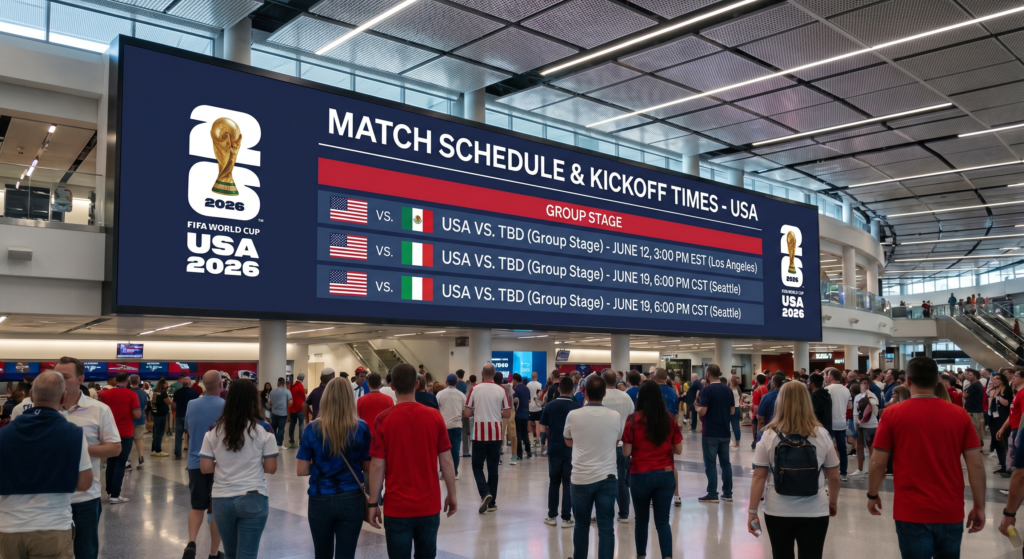
Here’s a general overview of expected kickoff windows:
| Round | Eastern Time (ET) | Pacific Time (PT) | Dates |
|---|---|---|---|
| Group Stage | 11 AM / 2 PM / 5 PM / 8 PM | 8 AM / 11 AM / 2 PM / 5 PM | June 11 – June 29 |
| Round of 32 | 12 PM / 4 PM / 8 PM | 9 AM / 1 PM / 5 PM | June 30 – July 4 |
| Round of 16 | 12 PM / 4 PM / 8 PM | 9 AM / 1 PM / 5 PM | July 5 – July 7 |
| Quarterfinals | 2 PM / 6 PM | 11 AM / 3 PM | July 9 – July 10 |
| Semifinals | 8 PM | 5 PM | July 14 – July 15 |
| Final | 3 PM | 12 PM | July 19 |
Key USMNT matches to circle on your calendar (group stage opponents TBD based on the draw, but the schedule framework is set):
| Match | Date | Venue | Time (ET) |
|---|---|---|---|
| USMNT Group Game 1 | June 12, 2026 | SoFi Stadium, LA | 8:00 PM |
| USMNT Group Game 2 | June 17, 2026 | MetLife Stadium, NJ | 5:00 PM |
| USMNT Group Game 3 | June 22, 2026 | AT&T Stadium, Dallas | 8:00 PM |
Note: These dates and times are based on the most current FIFA schedule framework and may be adjusted. Check FIFA.com for final confirmation.
The prime-time evening kickoffs for USMNT matches are intentional — FIFA and the organizers know that the home team playing in prime time will drive massive viewership. Expect watch parties, packed sports bars, and an electric atmosphere at every venue.
Frequently Asked Questions
Is World Cup 2026 free in USA?
Yes, partially. A significant number of matches will air on the main FOX broadcast network, which is available for free with an over-the-air digital antenna. Tubi is also expected to stream select matches for free. FIFA+ may offer replays and highlights at no cost. However, matches airing exclusively on FS1 will require a cable subscription or a paid streaming service.
What channel is World Cup 2026 on?
In the United States, the English-language broadcast rights belong to FOX. Matches will air on the FOX broadcast network and FS1 (FOX Sports 1). Spanish-language coverage will be on Telemundo and Universo (NBCUniversal) as well as Univision/TUDN. All 104 matches will be televised — none will be streaming-only.
Can I watch World Cup 2026 without cable?
Absolutely. You can watch World Cup 2026 without cable using several methods. A digital antenna gives you free access to FOX broadcasts. Streaming services like FOX One, FuboTV, YouTube TV, Hulu + Live TV, and Sling TV all carry FOX and FS1 without requiring a cable subscription. You just need an internet connection.
How to watch World Cup 2026 in 4K?
World Cup 2026 4K streaming is expected to be available through select providers. FOX has committed to producing the World Cup in 4K HDR for the first time. FuboTV has historically been the most reliable streaming service for 4K sports content and is expected to offer 4K World Cup streams. YouTube TV has also added 4K support through its 4K Plus add-on ($9.99/month extra).
To watch in 4K, you’ll need:
- A 4K-compatible TV or monitor
- A streaming device that supports 4K (Roku Ultra, Apple TV 4K, Fire TV Stick 4K, etc.)
- A minimum internet speed of 25 Mbps (40+ Mbps recommended)
- A subscription to a service offering 4K World Cup streams
Keep in mind that not all 104 matches may be produced in 4K. Priority will likely be given to marquee matches, knockout rounds, and the final.
How much data does streaming the World Cup use?
A typical 90-minute match in HD uses approximately 2–3 GB of data. In 4K, expect that number to jump to 7–10 GB per match. If you’re watching on mobile data, keep an eye on your plan’s limits. On home Wi-Fi with unlimited internet, data usage shouldn’t be a concern.
Can I record World Cup matches to watch later?
Yes. Most paid streaming services include cloud DVR functionality. YouTube TV offers unlimited DVR storage. FuboTV provides 1,000 hours. Hulu + Live TV offers unlimited DVR. Even Sling TV includes 50 hours of DVR (upgradeable). Just set the World Cup to record, and any match you miss will be waiting for you.
Final Thoughts
The FIFA World Cup 2026 is going to be a once-in-a-generation event. Forty-eight teams, 104 matches, sixteen host cities across three countries, and the biggest single sporting event the United States has ever hosted. Whether you’re watching from your couch, your phone during a lunch break, or a packed sports bar downtown, you deserve to see every goal, every upset, and every unforgettable moment.
The good news? You have more options than ever before. If money is tight, grab a $20 antenna and watch on FOX for free. If you want the full premium experience with 4K and unlimited DVR, services like FuboTV and YouTube TV have you covered. And if you’re traveling abroad during the tournament, NordVPN will keep you connected to every match.
My personal recommendation for most people? Start with the FOX One app at $6.99/month. It’s affordable, it covers all 104 matches, and it’s simple. If you want more sports beyond the World Cup, upgrade to FuboTV or YouTube TV.
Whatever you choose, just make sure you’re set up before the opening ceremony on June 11. Don’t be the person scrambling to download apps and create accounts five minutes before kickoff. Trust me on that one.
The world’s game is coming home to America. Don’t miss it.